For customers
You got a link: how to show your contractor the job
4 min read Includes video walkthrough
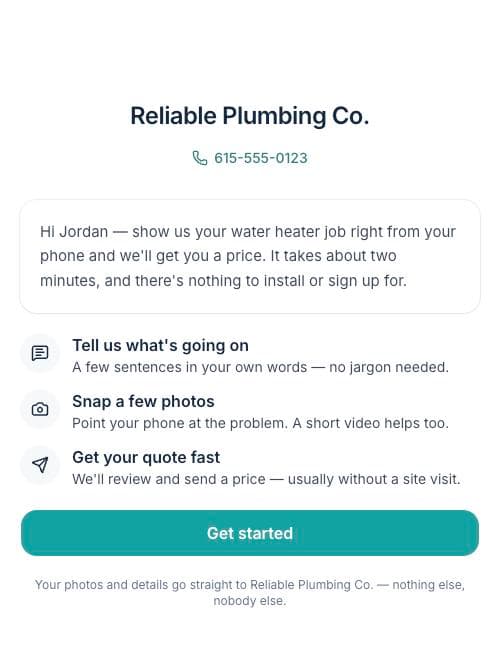
Your contractor sent you a link so they can see the job and price it — usually without needing to schedule a visit first. It takes about two minutes, right from your phone. There's nothing to install and nothing to sign up for.
The four quick steps
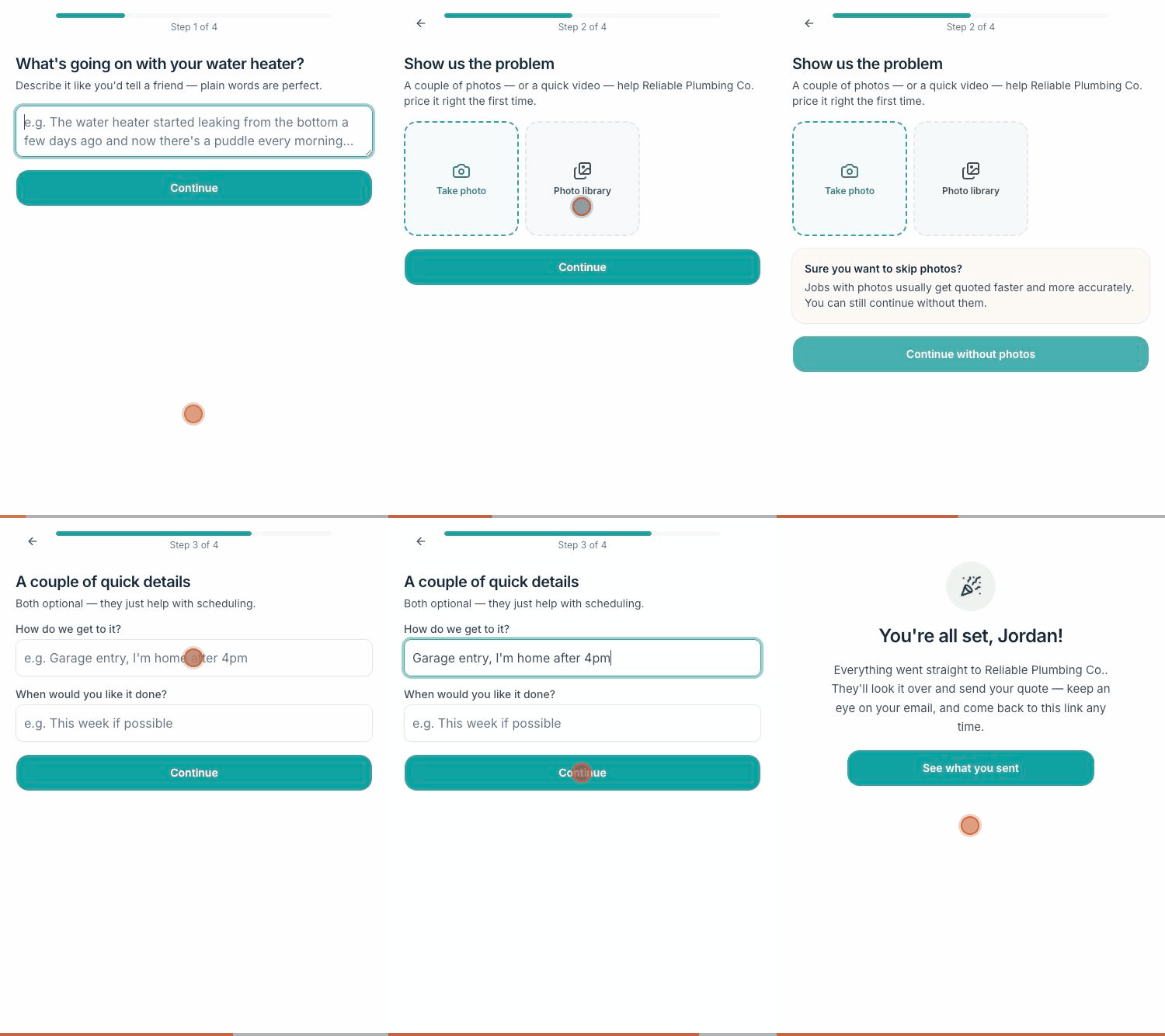
- 1Describe what's going on in your own words — like you'd tell a friend. No jargon needed.
- 2Snap a few photos, or a short video. Point your phone at the problem; if it makes a noise, video catches it.
- 3Add two optional details: how to get to the problem, and when you'd like it done.
- 4Review and send. Done — your contractor gets everything instantly.
A few reassurances
- Your photos go straight to your contractor — they're private, not posted anywhere.
- You can come back to the same link any time to see what you sent, chat, or check your quote.
- Closed the page halfway through? Your photos are saved — just reopen the link and pick up where you left off.
Tip: Photos of the surrounding area help too — the shutoff valve, the electrical panel, the path to the crawl space. More context means a more accurate price, first try.