For office staff & field techs
Reading the pipeline: what every stage means and what to do next
5 min read
The Projects screen is your day at a glance. Every job sits in a tab that tells you whose move it is — and every project page opens with a colored stage card that says exactly where things stand and what helps next.
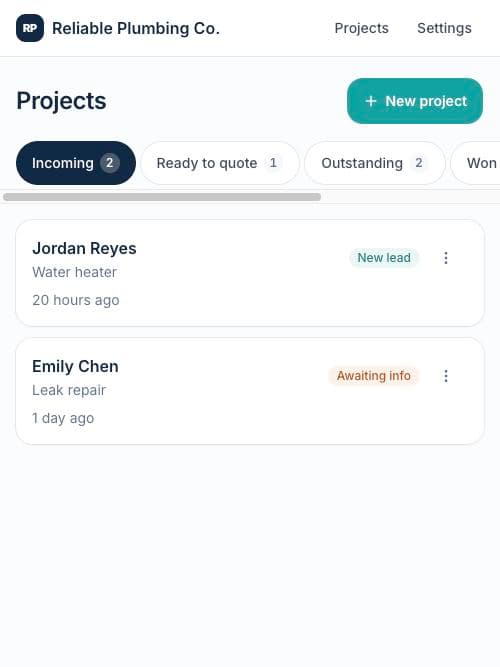
The five tabs
- Incoming — the invitation is out; the customer hasn't submitted details yet. A nudge after a day helps.
- Ready to quote — the customer sent everything. This is your money tab: price it while it's hot.
- Outstanding — a quote is in the customer's hands. Reminders live here.
- Won — accepted (and deposit paid, when there was one). Time to schedule the work.
- Lost — declined or expired. A revised quote restarts the clock any time.
The stage card tells you the move
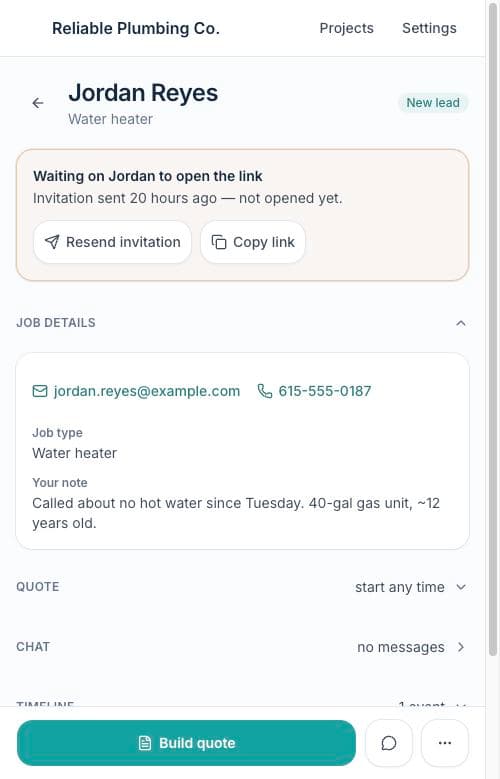
Amber means you're waiting on the customer (with nudge actions right there). Teal means they've sent the job and it's your move. Green means it's booked. The sections below the card re-arrange by stage, so what matters most is always open on top.
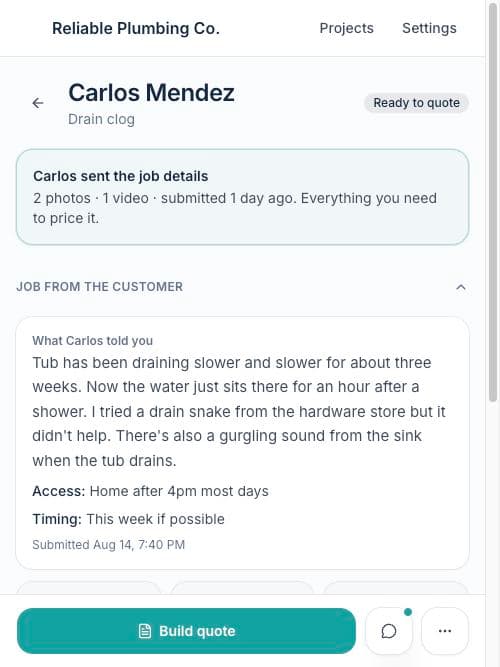
Tip: The teal dot on a chat bubble means an unread customer message. It stays until someone actually opens the chat — so a dot always means something new.