For business owners
Getting started: create your account and set up your business
5 min read
MeasuredQuote takes about five minutes to set up. You'll create a sign-in, tell us how customers should see your business, and start a free trial — no charges until the trial ends, and you can cancel any time from Billing.
1. Create your account
- 1Tap Start free on measuredquote.com.
- 2Create your sign-in with your email (or Google) — this is how you'll log in from any phone or computer.
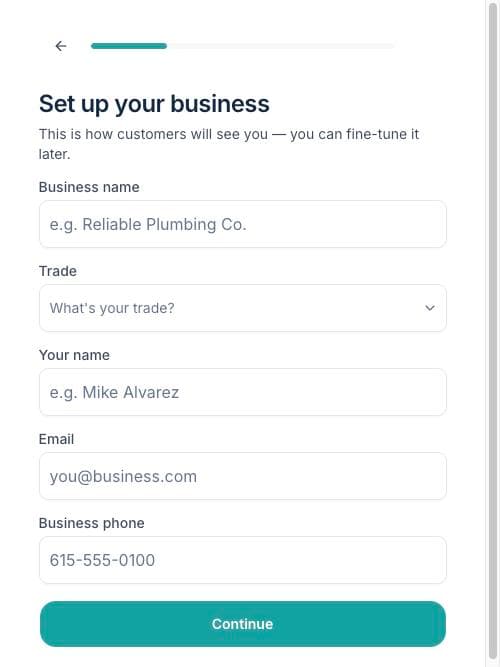
- 3Fill in your business: name, trade, your name, email, and phone. This is exactly how customers will see you on every link and email, so write it the way you'd put it on the truck.
- 4Pick your plan — one simple plan, priced as a base fee plus a small amount for each teammate you add later.
- 5Enter your card with Stripe's secure checkout. Your trial starts immediately; the card isn't charged until the trial ends.
2. Fine-tune how customers see you
- 1Go to Settings → Business.
- 2Add your logo — it appears at the top of every customer page and email.
- 3Check your email signature. It's appended to every email MeasuredQuote sends for you, so make it read like you: name, business, phone.
Tip: Everything a customer sees carries your name and logo — MeasuredQuote stays in the background. The link page literally says "your photos go straight to [your business], nobody else."
3. What to do next
Send yourself a test project: create a project with your own email as the customer, open the link on your phone, and walk through what your customers will experience. It's the fastest way to trust the flow — and it takes two minutes. Then read "Your first project" below.