For business owners
Your first project: send a link, get the job details, win the work
7 min read Includes video walkthrough
A project starts the moment a customer calls about a job. Instead of scheduling a drive-out to look at it, you send them a link. They snap photos and describe the problem from their phone; you quote it from wherever you are.
1. Create the project
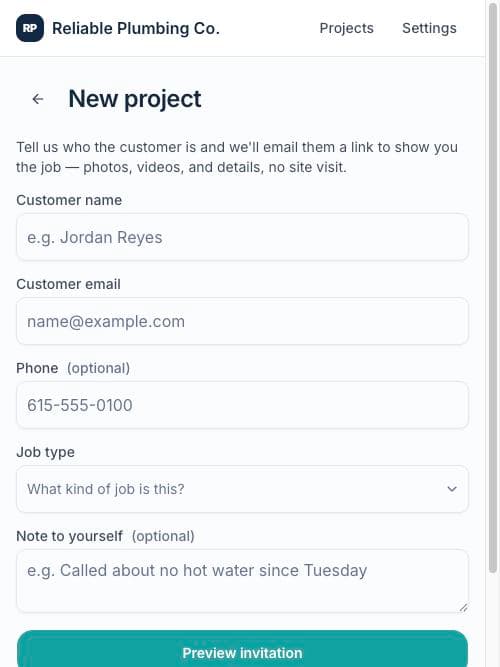
- 1From Projects, tap New project.
- 2Enter the customer's name and email (phone optional but recommended — it puts a Call button on the job later).
- 3Pick the job type and jot a note to yourself about the call.
- 4Tap Preview invitation — you'll see the exact branded email the customer gets.
- 5Tap Send. The invitation goes out immediately and the project lands in your Incoming tab.
2. The customer shows you the job
Your customer opens the link on their phone — no app, no account — and walks through a two-minute intake: what's going on, a few photos or a short video, and how to access the job. The moment they submit, the project moves to Ready to quote and everyone on your team gets an email.
3. Quote it
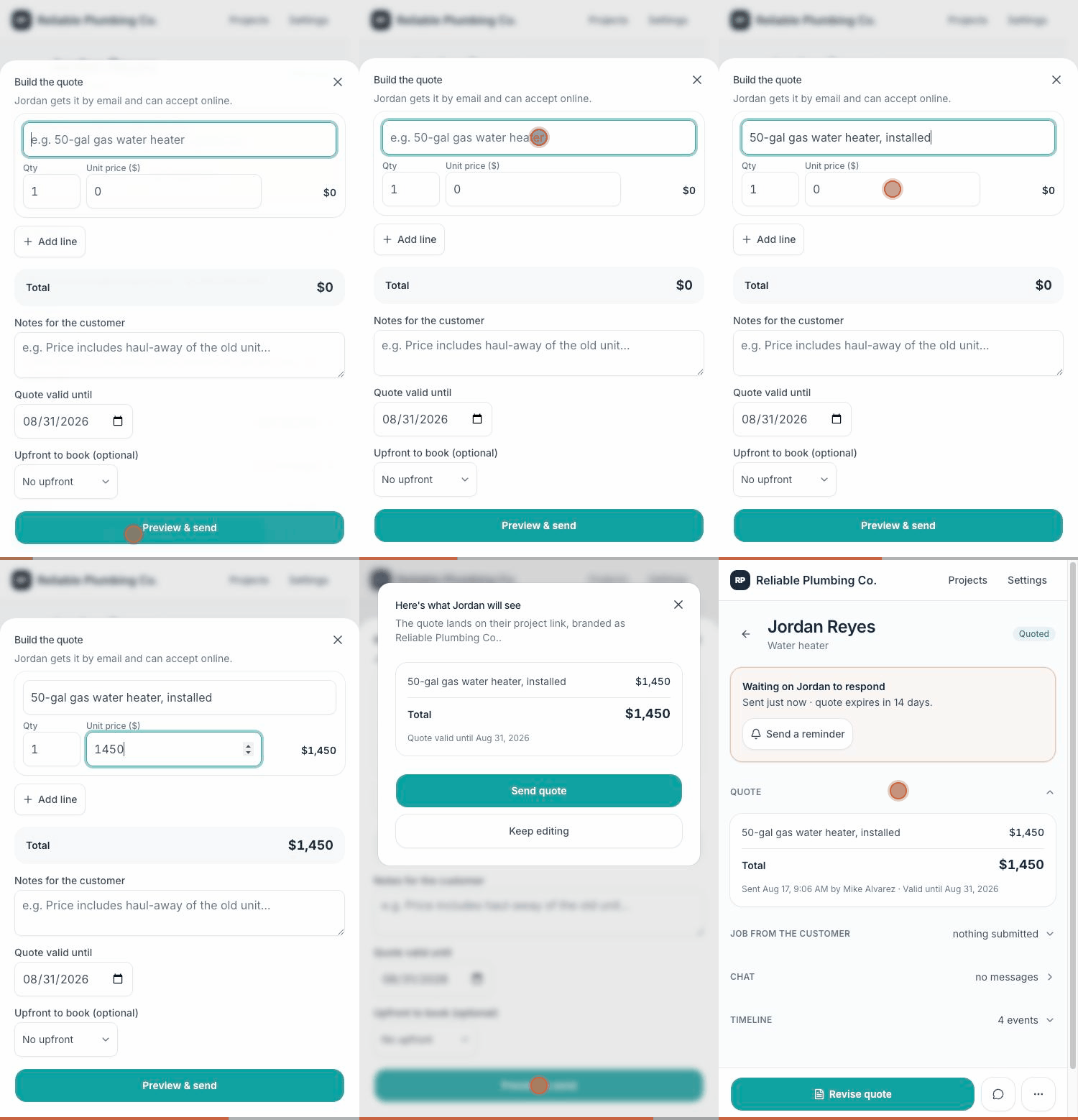
Open the project and everything you need is at the top: their description, photos, video, access notes. Tap Build quote in the bar at the bottom, add your line items, set an upfront deposit if you want one, and send. The customer gets a branded email with one button: view the quote and book.
4. They book — you never rolled the truck
The customer reviews the quote on their phone, accepts, and pays the deposit right there if you asked for one. You get an email the moment it happens, the project moves to Won, and the deposit lands in your bank account through Stripe.
Tip: Phone-call jobs are real jobs: you can build a quote at any stage — even before the customer opens the link. The Build quote button is never locked.